How do I manage the lenders in an InstantAPPLY application?
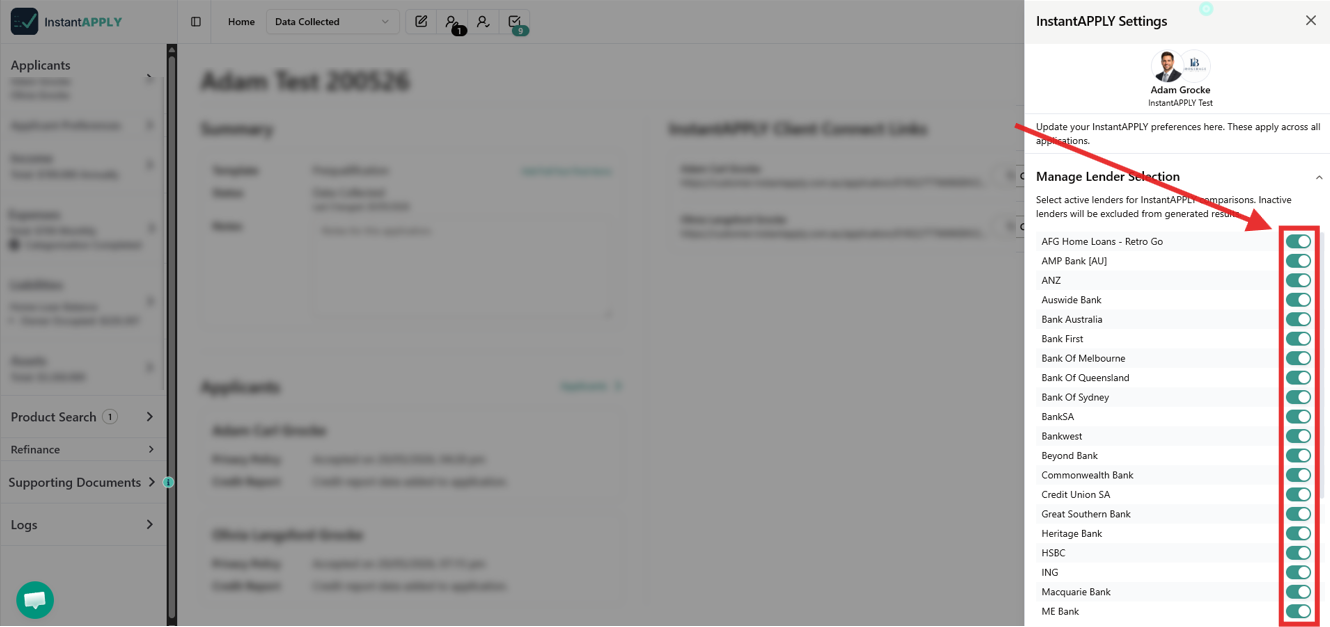
Update your lender preferences in the InstantAPPLY settings. Select active lenders for InstantAPPLY comparisons. Inactive lenders will be excluded from generated results across all applications..
To choose your lenders for all InstantAPPLY applications, please follow these steps:
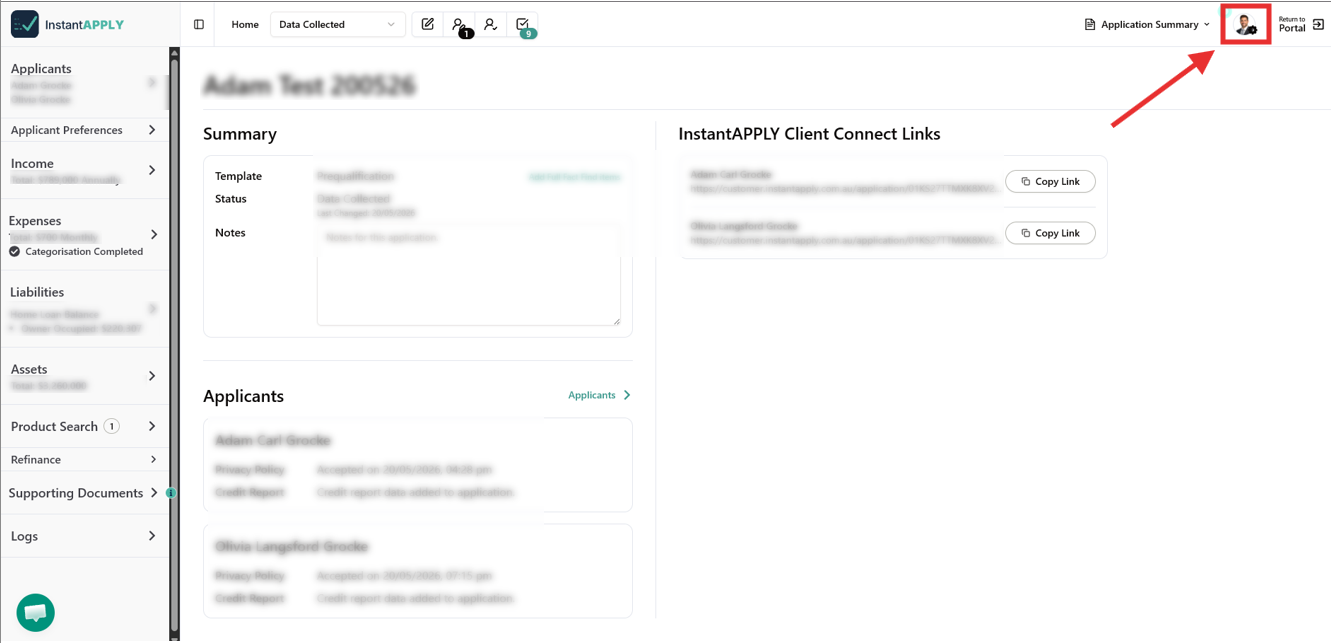
- Open an InstantAPPLY application.
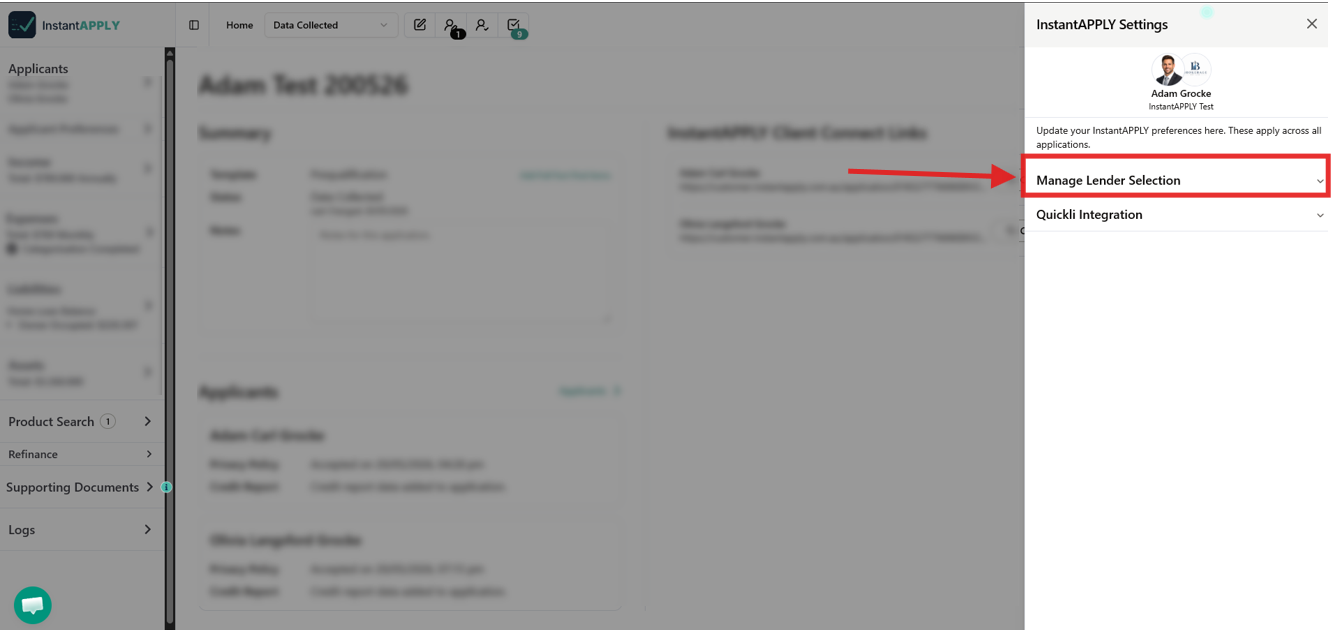
- Click on your profile picture on the top-right corner of the screen to open the InstantAPPLY settings.
- Under the InstantAPPLY Settings, click on Manage Lender Selection.
- Select or deselect the lenders you want to include in the application. Any changes are saved automatically.