How to Create Sign-Up Links in InstantAPPLY
To create and Customise a Sign Up Link, please follow these steps:
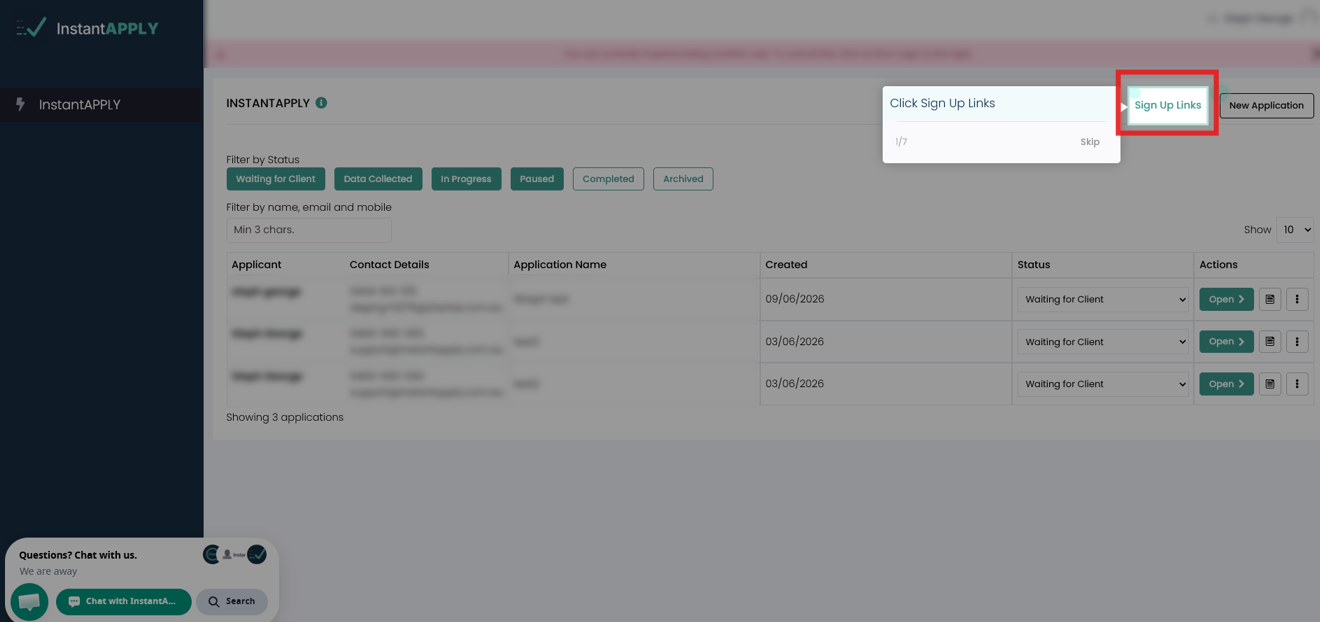
1. From your InstantAPPLY Dashboard, Click on Sign Up Links.
2. Next, click New Sign Up Link.
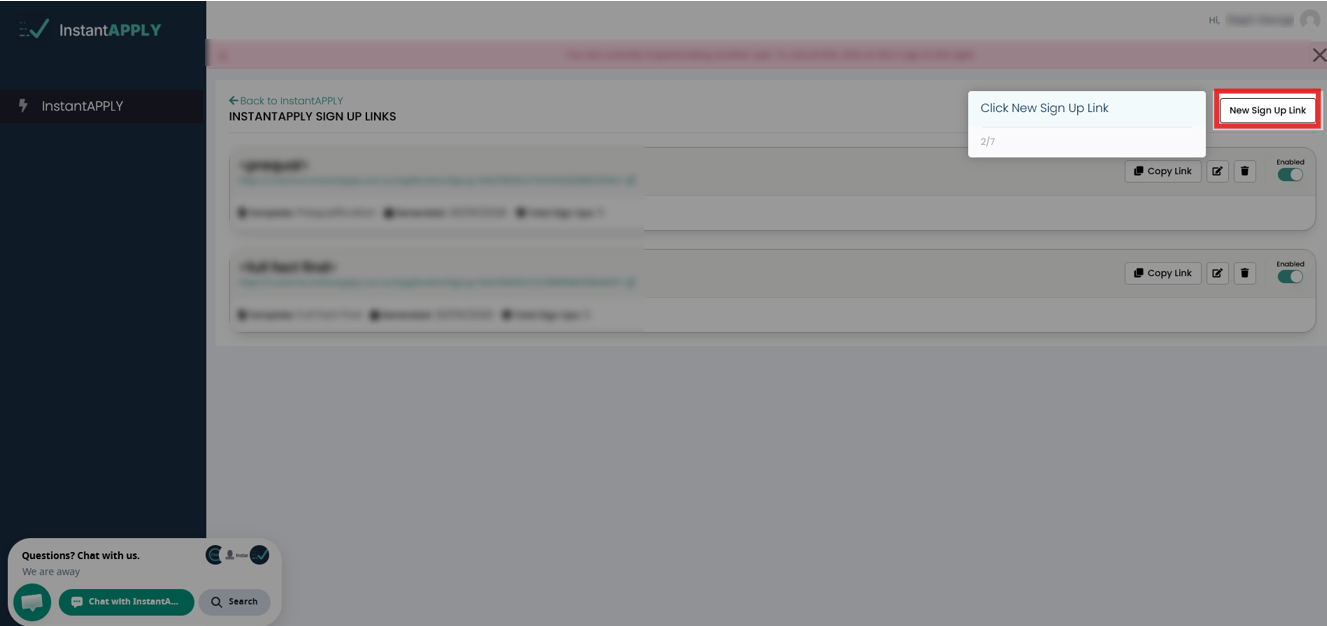
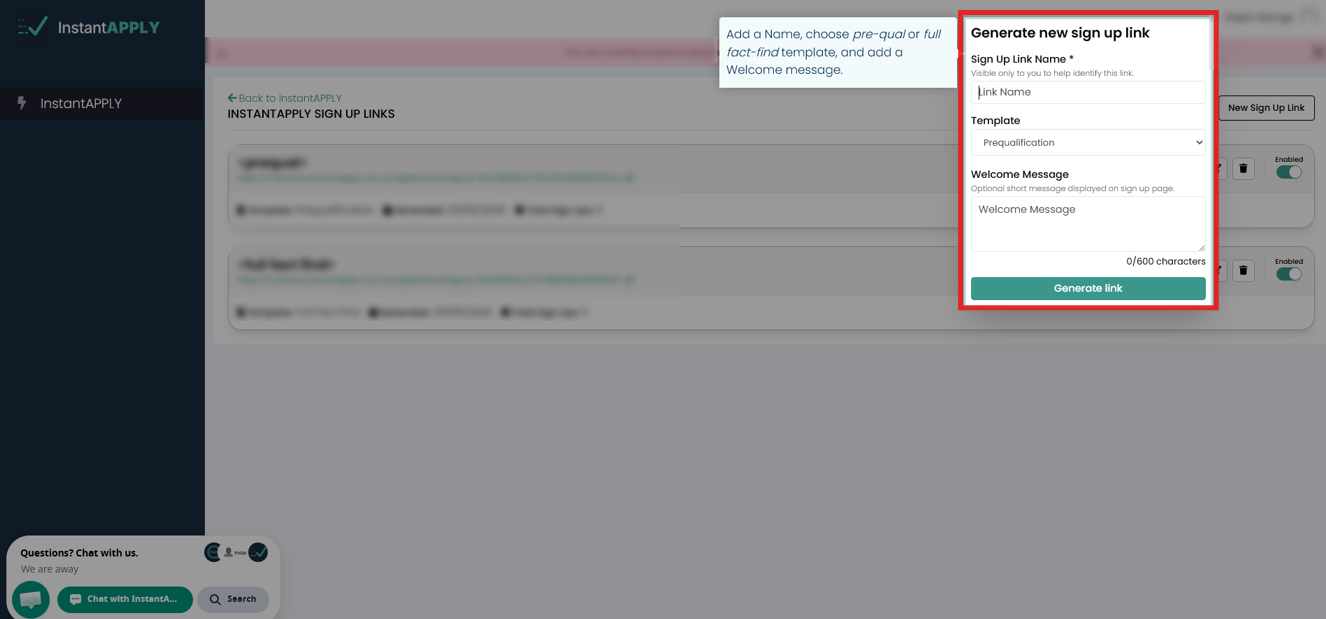
3. Add a name to the link, Choose whether a template (pre-qualification or full fact find) and add a short Welcome message (displayed on the signup page).
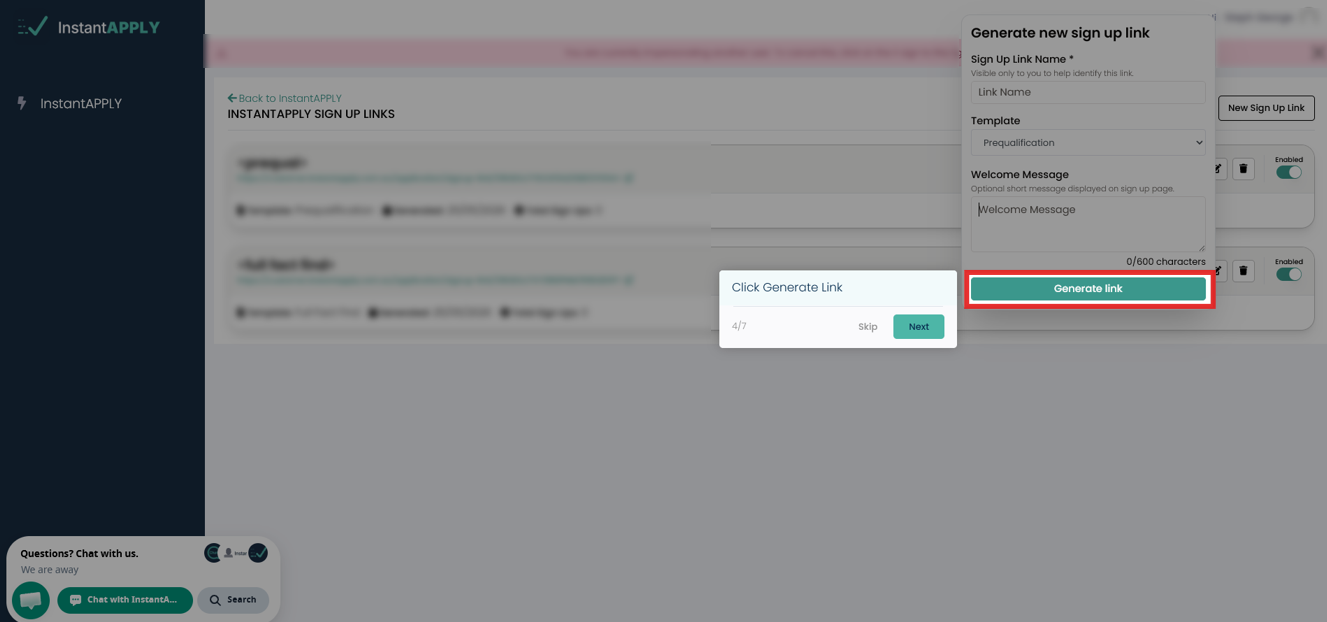
4. Click Generate Link
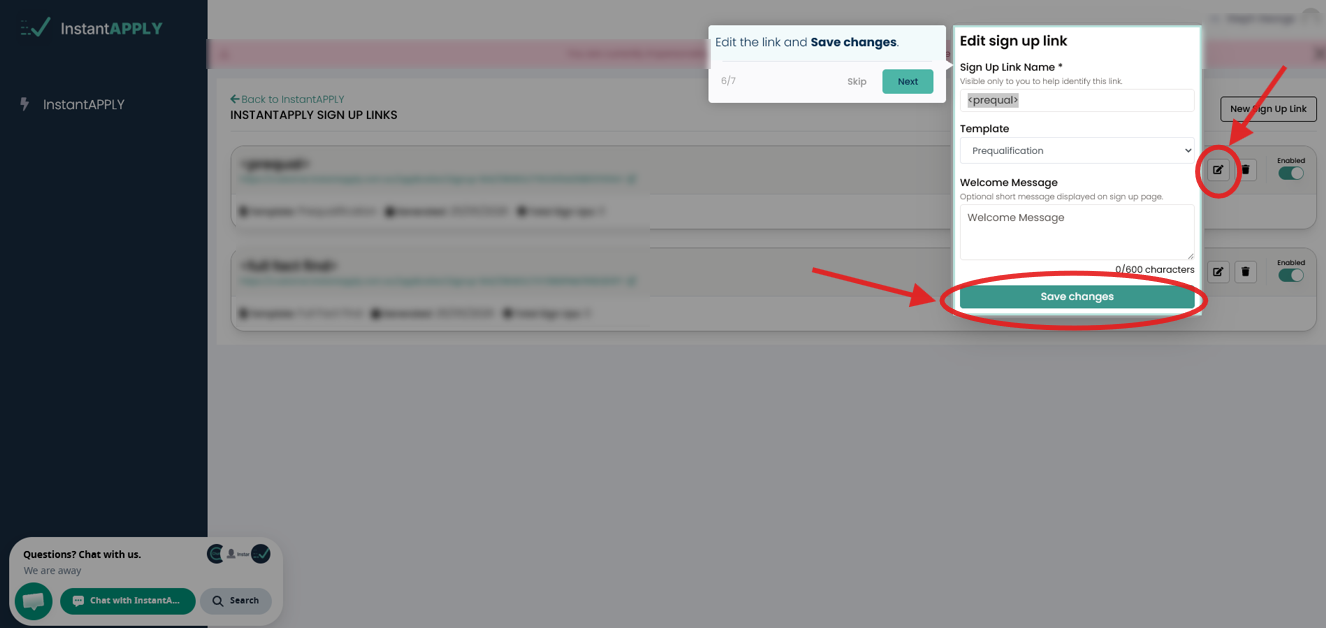
ℹ️ If you want to edit anything on the link, click Edit on the new Sign Up link. Then click Save Changes after.
5. Lastly, click Copy Link to copy it, then share the link with clients, referral partners, or use on your website.
ℹ️ You can check this Knowledge Base article for more information on the InstantAPPLY Sign Up Link templates. Also, you can start with a Pre-Qualification template, then convert it to a Full Fact Find at any stage.